Kickoff Workshop
Best for teams starting from zero
A focused half-day session that gets your whole team using AI on real tasks, fast.
- Live, hands-on exercises
- Starter prompt library
- Team AI guidelines
Most teams have access to ChatGPT, Gemini or Copilot. Few use them well. Our AI training for businesses fixes that with hands-on workshops built around your real work: your emails, your marketing, your client follow-up, your reports. No theory and no coding. Your people leave with prompts, workflows and habits they use the next morning.
Your team has probably sat through a webinar or watched a few videos. Then Monday came, the inbox filled up and nothing changed. Generic AI training fails for three reasons: it’s a tour of the tool instead of the job, nobody practices on real work, and there’s no follow-up when people get stuck.
We flip all three. Every session is built around tasks your team already does, every exercise uses your real material with sensitive details removed, and we stay with your team until the new habits hold.
Every program is customized, but most teams cover these eight skills. We set the order by where your team will save the most time first.
What AI tools are good at, where they fail, and how to check their work. No jargon.
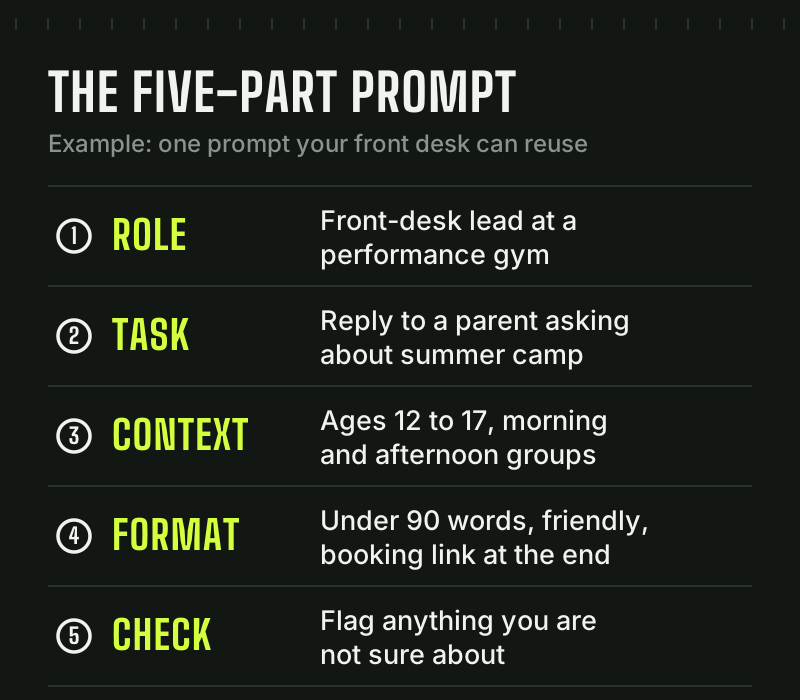
Simple frameworks for clear, on-brand output on the first or second try, not the tenth.
Emails, proposals, client updates, SOPs and job posts drafted in minutes, in your voice.
Social posts, newsletters, ad drafts and blog outlines your team can finish fast.
Faster replies to leads, better follow-up sequences and sharper call prep.
Summarize long documents, analyze spreadsheets and turn messy notes into clear decisions.
No-code automations that move information between your forms, calendar, CRM and email.
What never goes into an AI tool, how to fact-check output, and a simple AI policy for your team.
Pick the format that fits your team, schedule and goals. Every one is customized to your business and delivered on-site or live online.
Best for teams starting from zero
A focused half-day session that gets your whole team using AI on real tasks, fast.
Best for making AI part of how you work
Weekly sessions over several weeks, with role-specific tracks and practice between sessions.
Best for owners and managers
A working session to choose the AI priorities that matter most, set policy and plan the rollout.
Best for keeping skills sharp
Monthly or biweekly office hours to answer questions, add workflows and keep up as the tools change.
Four steps from first call to daily habit.
We find the tasks where AI will save your team the most time, then recommend the right format.
We build the curriculum around your tools, your roles and your real examples.
Everyone practices on actual work, not hypotheticals, with time to ask questions.
Check-ins, an adoption scorecard and fresh workflows keep the habits from fading.
If your team is stretched too thin to learn something new, our done-for-you service puts the same AI tools to work on your behalf and reports the results every week.
We train coaches and front-desk staff on the exact workflows training facilities and performance gyms run every day, from parent emails to evaluation summaries.
Questions teams ask before they book. Don’t see yours? Ask us in your free audit.
It is practical instruction that teaches your employees to use AI tools like ChatGPT, Claude, Gemini and Microsoft Copilot in their real work. Good AI training for businesses focuses on everyday tasks such as writing, marketing, customer follow-up and reporting, so people save time from the first week.
A kickoff workshop takes about half a day. A full team training program runs over several weeks with one session per week, so people practice between sessions. We recommend a format during your free audit based on your team's size and starting point.
The tools your business already uses or should: ChatGPT, Claude, Gemini, Microsoft Copilot, and the AI features inside Google Workspace, Microsoft 365, Canva and your CRM. We are tool-agnostic, so we recommend what fits your budget and workflow, not what is trending.
No. If someone can write an email, they can learn to use AI well. We teach in plain English and practice on real tasks, so non-technical staff get comfortable fast.
Yes. Every workshop is built around your business, your roles and your examples. We specialize in sports performance businesses and customize for every other industry we train.
Both. We run AI workshops for teams on-site when it is practical and live online when your people are spread out. Online sessions can be recorded so new hires can catch up.
It is built in. Your team leaves with a prompt library, step-by-step playbooks, an AI use policy and follow-up support. Many teams add ongoing coaching to keep skills sharp as the tools change.
Book a free AI growth audit. We will find the tasks where AI saves your team the most time and recommend the training format that fits.
No pressure, no jargon, no software to buy.